
Input Handling for Mobile: Touch, Drag, and the Feel of Control
Input is where a mobile game earns or loses trust in the first ten seconds. Here are the thresholds, buffers, and reach rules that make touch controls feel fair.
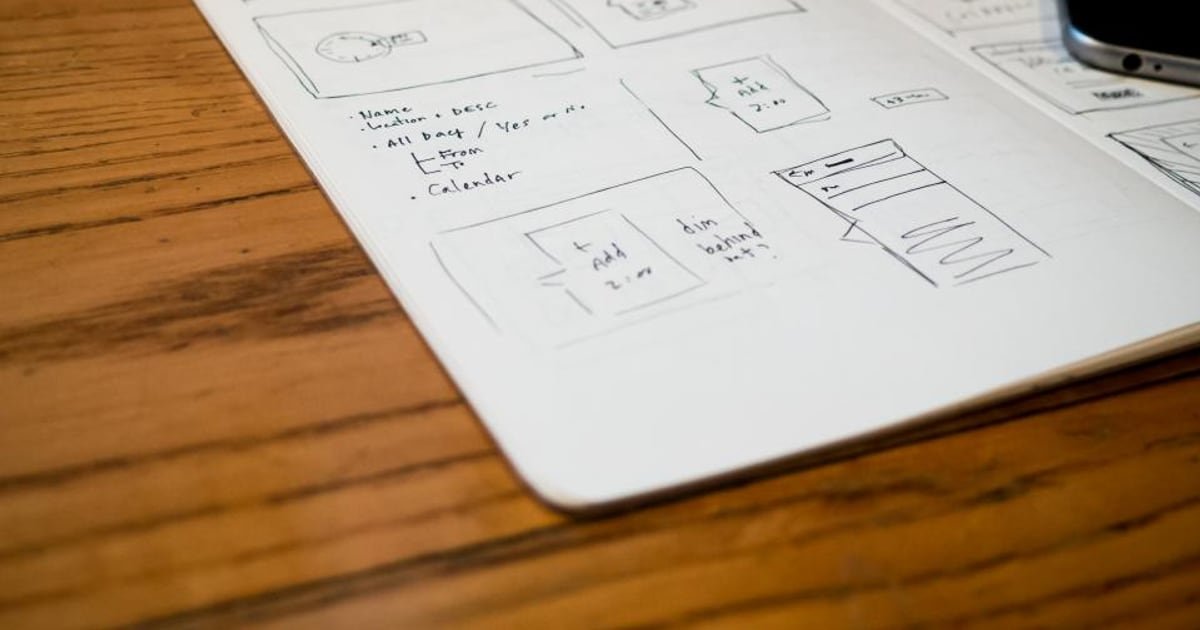
Touch controls feel good when the game is generous about what counts as an input and precise about when it responds. That means large targets, sensible drag thresholds, forgiveness windows around timing, and immediate visual response. Latency is felt long before it is noticed.
Why this matters
Input quality is judged in the first few seconds and it is judged unconsciously. Players do not report input problems, they report that a game feels cheap or unfair.
It is also the area where desktop development habits cause the most damage. A control scheme tuned with a mouse on a large monitor rarely survives a thumb on a phone.
The good news is that almost all of it is tuning rather than architecture.
Touch, tap, and dead zones
A tap on a phone is imprecise by nature. The finger covers more area than the point being registered, and the visual centre of the finger is not where the touch lands.
Three rules follow.
- Make touch targets larger than the visual element. An icon can be small; its interactive area should not be. Extending the target beyond the art is free and invisible.
- Offset the registered point slightly upward. Players aim with the visible top edge of their fingertip, not the centre of the contact patch.
- Give every target adequate separation. Adjacent small targets are the most common source of mis-taps, and the fix is spacing rather than precision.
Add a dead zone around anything destructive or irreversible. Two targets side by side, where one closes a purchase and one confirms it, will produce mistakes at scale no matter how carefully labelled.
Precision belongs to the game, not the player. Everything the game can be generous about, it should be.
Drag and swipe thresholds
A touch that moves needs a decision: is this a tap that wobbled, or a drag.
That decision is a threshold, and getting it wrong produces two distinct complaints.
| Threshold | Symptom when wrong |
|---|---|
| Too small | Taps register as drags, so the game feels twitchy |
| Too large | Drags feel sluggish to start, so the game feels unresponsive |
Two additional details matter.
Measure in physical distance, not pixels. Screen densities vary enormously, and a pixel threshold that feels right on one device is wrong on another. Convert to a real-world measurement.
Once a drag starts, do not re-evaluate. Switching interpretation mid-gesture is deeply confusing. Commit to the interpretation and hold it until the finger lifts.
For swipes, direction should be determined by overall movement rather than by the last frame, since fingers curve at the end of a gesture.
Input buffering and forgiveness windows
These are the techniques that make a game feel fair, and they are invisible when present.
Input buffering accepts an input slightly before it becomes valid. A player who taps just before an animation finishes gets the action rather than nothing. Without it, precise sequences feel unresponsive and players blame themselves at first and the game shortly afterwards.
Coyote time accepts an input slightly after the window has closed. It is most associated with platform jumps and it applies anywhere a small timing miss would feel harsh.
Repeat suppression ignores a second identical input arriving implausibly fast, which prevents accidental double activations.
Reasonable starting windows sit in the region of a tenth of a second for buffering and forgiveness, tuned by feel. Long enough to help, short enough that the game never seems to act on its own.
Latency, and what players actually notice
Players cannot measure latency and they respond to it immediately.
The critical rule is that something must change on the same frame as the touch, even if the real action takes longer. A button that depresses instantly and resolves over several frames feels immediate. One that waits for the logic to complete feels broken.
Three sources of delay worth checking.
- Waiting for touch release before responding. Respond on touch down for anything that is not a drag.
- Animation gating. Logic waiting on an animation to finish adds its full duration to perceived latency.
- Frame rate. Low frame rate is felt as input lag more than as visual stutter, which is why the work in Unity Mobile Performance improves feel as well as looks.
One-handed play and thumb reach
Most mobile play is one-handed, and a thumb does not reach the whole screen comfortably.
The reachable region is an arc from the lower corner on the holding side. The top opposite corner is the hardest place on the screen to reach.
Practical layout rules:
- Primary actions in the lower third, where the thumb rests.
- Destructive or rare actions at the top, where accidental taps are unlikely.
- Avoid the very bottom edge, which conflicts with system gestures on modern phones.
- Respect safe areas for notches, rounded corners, and home indicators.
- Mirror where possible, or centre primary actions, since handedness varies.
Test with the phone held in one hand while standing. Layouts designed with a device flat on a desk consistently place important controls where a thumb cannot comfortably go.
Testing input on real devices
Editor testing with a mouse tells you almost nothing about how input feels.
Five checks worth running on hardware.
- Play one-handed, standing, at arm's length.
- Test with a screen protector and a case, which is how most phones are actually used.
- Test with dry hands and slightly damp ones. Touch response differs and it affects drag detection.
- Test on your device floor, where lower frame rates make latency worse.
- Watch someone else play, and record touches, per How to Run a Playtest With Ten People.
Mis-taps in a recording are the clearest possible evidence, and they point at specific targets.
What we would do
Build a small input tuning scene with adjustable thresholds and buffer windows, and tune it on a phone in the first week. These values are hard to change later because gameplay gets balanced around them.
Make generous targets a project convention rather than a per-screen decision. It is cheaper to set the standard once than to fix mis-taps found in testing.
Then respond on touch down, always, with something visible on the same frame. It is the single largest perceived improvement available in mobile input, and it usually takes an afternoon.
The short version
- Make touch targets larger than their art and offset the registered point upward.
- Set drag thresholds in physical distance rather than pixels, and never re-evaluate mid-gesture.
- Input buffering and forgiveness windows are invisible when present and obvious when missing.
- Respond on touch down with something visible on the same frame.
- Put primary actions in the lower third and rare or destructive ones at the top.
- Test one-handed, standing, on your device floor, with a case on.
Move your primary action into thumb reach and respond on touch down this week. If your controls feel wrong and you cannot place why, send us a build.
Related reading: Making a 2D Game Feel Good, Why Juice Sells, and Accessibility in Mobile Games.
Got a game idea? We build it.
You bring the concept. We design, build, test and launch it, and you own 100% of the finished game.
Share Your Game Idea →Keep reading
 Design
Procedural Level Generation on a Solo Schedule
Procedural generation promises infinite content, but a solo dev needs a version that ships. Here is how to scope it, bu…
 Design
Adding Accessibility Without Doubling the Work
Accessibility does not have to mean a second round of development. Five changes, built into the process from the start,…
 Design
How to Make a Prototype Look Polished With Minimal Art
A prototype does not need final art to look polished. Color, spacing, animation timing, and a few visual shortcuts can…